Tag: smart home

  • Schneider Electric in €1.2B bid for smart-home maker Shelly

    Schneider Electric in €1.2B bid for smart-home maker Shelly

    Header image source: Schneider Electric bids €1.2B for Shelly Group – Breaking The News via Breaking The News via Google — cropped to 16:9 and colour-adjusted.

    Key takeaways

    • Schneider pays 22% premium for Shelly, valuing it at €1.27B enterprise value
    • Deal signals industrial giants see smart homes as critical energy infrastructure
    • Success hinges on preserving Shelly’s agility and open-source ethos

    Schneider Electric is bidding €1.2 billion to acquire Shelly Group. €70 per share. A 22% premium over Shelly’s €64.40 closing price. No contingencies. Just cash on the barrelhead for the Bulgarian smart-home hardware maker. The deal values Shelly at €1.27 billion enterprise value. This isn’t some industrial giant dipping a toe into consumer tech. This is a full-throated bet that smart homes are infrastructure, not gadgets.

    And it’s a bet that could rewrite the rules for the entire sector.


    The Deal by the Numbers: Schneider’s High-Stakes Gamble

    Schneider isn’t just offering a premium. It paid a statement. A 22% premium is a significant markup. Shelly Group is a Bulgaria-based smart home device maker.

    The offer is €70 per share. No earn-outs.

    Why Bulgaria? Shelly is based in Bulgaria.


    Schneider’s Smart Home Strategy: Why Shelly, Why Now?

    Then there’s the cloud angle.


    Shelly’s Trajectory: From Bulgarian Startup to €1B+ Valuation

    Shelly didn’t come out of nowhere.

    The numbers tell the story.

    Product-wise, Shelly’s lineup is deceptively simple.

    Just a straight-up acquisition.


    The Premium Puzzle: Why Schneider Paid 22% Over Market

    A 22% premium is significant. Schneider’s offer values Shelly at a significant premium. The question is: what’s driving that valuation?

    Schneider isn’t just buying hardware.

    Users don’t just buy Shelly devices.

    Finally, the defensive angle. Schneider isn’t just buying growth.


    Integration Risks: Can Schneider Preserve Shelly’s Agility?

    Here’s the big question: can Schneider integrate Shelly without killing what made it special?

    Shelly is different. Shelly is a smart home device maker. Schneider is a large industrial company.

    Will Schneider let Shelly remain open-source?

    Then there’s certification.

    Finally, the enterprise sales angle. Will Schneider’s sales teams know how to sell Shelly’s products?

    Large company integration challenges are real.


    Market Implications: Consolidation, Competition, and Consumer Choice

    This deal isn’t happening in isolation.

    For Shelly’s competitors, this is a wake-up call.

    The bigger question is whether this deal will drive down prices or lock users into proprietary ecosystems.

    Regulatory scrutiny is another wildcard.


    What’s Next: Deal Hurdles and Long-Term Scenarios

    The deal isn’t done yet. Schneider’s voluntary public takeover offer means there’s no guarantee it will succeed—counterbids are always a possibility.

    Who might intervene? Both companies have been expanding into smart homes. Shelly’s open-source hardware would be a natural fit for their industrial automation portfolios. Amazon and Google could also make a play. Shelly’s local control capabilities are a direct challenge to their cloud-dependent ecosystems.

    Assuming the deal closes, what happens to Shelly’s brand? Schneider could keep it intact, positioning Shelly as its consumer-facing smart home line while using Wiser for enterprise and commercial applications. Alternatively, it could fold Shelly into Wiser, rebranding its products under Schneider’s existing portfolio. The former is more likely—Shelly’s brand is too valuable to discard.

    Long-term, this deal could set a template for future smart home M&A. Industrial giants are realizing that consumer smart homes aren’t just a side hustle—they’re a critical piece of the energy transition. Schneider’s move signals that the smart home market is maturing.


    The Big Picture: What Schneider’s Move Says About Smart Home’s Future

    Schneider’s acquisition of Shelly isn’t just a blockbuster deal. It’s a glimpse into the future of smart homes. The sector is no longer about standalone gadgets. It’s about infrastructure. And industrial players like Schneider are best positioned to win.

    The shift is already happening. Matter, the new smart home interoperability standard, is gaining traction—but it’s still a work in progress. Schneider and Shelly could leverage Matter to create a seamless ecosystem that works with Apple, Google, and Amazon—but also stands alone. That’s a powerful proposition.

    Then there’s AI. Schneider’s EcoStruxure platform already uses AI for predictive maintenance and energy optimization. Shelly’s local control capabilities could bring those same features to homeowners—without the cloud dependencies that privacy-conscious users hate. Imagine a smart home that learns your habits, optimizes your energy usage, and alerts you to potential issues—all without sending your data to the cloud.

    But there’s a contrarian take here. The smart home market might be over-consolidating. Schneider’s acquisition of Shelly could stifle innovation, locking users into proprietary ecosystems and driving up prices. Smaller players like Tuya and Sonoff could struggle to compete, reducing consumer choice.

    The open question is: will Schneider’s scale and Shelly’s agility complement each other? Or will the clash of cultures doom the deal? If Schneider can preserve Shelly’s open-source ethos while leveraging its industrial might, this could be a masterstroke. If it forces Shelly into its corporate mold, it could be a cautionary tale.

    Either way, the smart home market just got a lot more interesting. The real test begins now.


  • Why Use Home Assistant?: The Case for Local, Private, and Powerful Home Automation

    Why Use Home Assistant?: The Case for Local, Private, and Powerful Home Automation

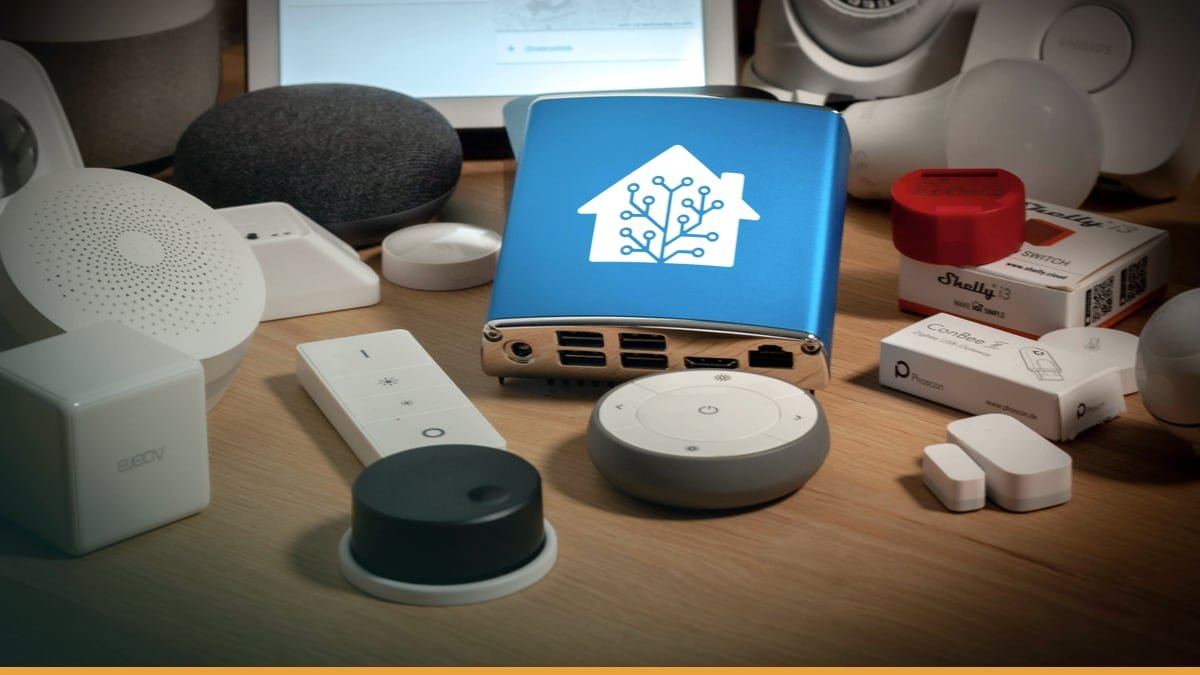
    Header image source: Home Assistant Blue! – Home Assistant via Home Assistant via Google — cropped to 16:9 and colour-adjusted.

    Key takeaways

    • Home Assistant runs entirely on your hardware for maximum privacy
    • Unifies thousands of devices into one interface with native Tailscale support
    • Enables complex automations and debugging without cloud dependencies

    Home Assistant now offers native Tailscale support, and the community is engaged. It provides secure remote access. It keeps your data secure. It provides secure remote access without relying on cloud services. That’s not just an update. That’s a middle finger to the cloud-dependent smart home status quo.

    Here’s the direct answer: Home Assistant puts you in control. Your data stays on your hardware. Your devices work together through unified integration. Your automations can range from simple to complex without paying a subscription. This isn’t another smart home app. It’s a fundamental shift in how home automation should work.

    The real story isn’t the promise. It’s the execution.


    Privacy Isn’t a Feature. It’s the Foundation.

    Home Assistant doesn’t just talk about privacy. It runs entirely on your own hardware, in your own home, with no mandatory cloud servers or paywalled features. That’s not marketing copy. That’s the core principle. Compare that to cloud-based platforms where data typically flows through corporate servers. With Home Assistant, your data doesn’t leave your network unless you explicitly send it somewhere.

    But privacy isn’t absolute. If you enable Alexa or Google Assistant integrations, you’re reintroducing cloud dependencies. The security advantage evaporates. The workaround? Local voice assistants like Piper and Whisper, which process speech entirely on-device. They’re clunkier than Siri or Alexa—expect mishears and slower responses—but they’re improving. The trajectory is clear: Home Assistant is building a future where even voice control doesn’t require surrendering your data to a tech giant.

    The trade-off is real. Home Assistant has no paywalled features, but requires self-support. If issues arise, you’re responsible for troubleshooting. For users who prioritize privacy over convenience, that’s a fair exchange. For everyone else, it’s a dealbreaker.


    One Interface to Rule Them All

    Smart homes today are a fragmented mess. Different devices often require separate apps. Different devices often require separate apps. Various smart home technologies come with their own ecosystems and limitations. Home Assistant cuts through the noise by integrating thousands of devices into a single interface. It doesn’t just bridge ecosystems. It merges them.

    Take 433 MHz RF sensors. These are older, low-power devices often used for motion detection or door/window alarms. Most modern platforms ignore them entirely. Home Assistant can integrate them via a USB antenna like the RFXcom. Suddenly, those “dumb” sensors become part of your automations—triggering lights, alerting you to movement, or feeding into energy-saving routines. That’s not just convenience. It’s future-proofing. Home Assistant lets you mix old and new hardware, proprietary and open-source, without being locked into a single vendor’s vision.

    The exceptions prove the rule. Some ecosystems may require additional work for integration. Some ecosystems require dedicated hardware. But even these limitations are temporary. Home Assistant’s open-source nature means community developers can—and do—build integrations faster than corporate teams can lock down their APIs. The result? A platform that adapts to your hardware, not the other way around.


    Automation Isn’t an Afterthought. It’s the Whole Point.

    Most smart home platforms treat automation as a checkbox feature. Basic automation examples Basic automation examples Home Assistant treats automation as a first-class citizen. It’s not just a feature. It’s a superpower.

    Start with presence detection. Home Assistant’s mobile apps can send your location back to your server, enabling automations like garage doors opening as you pull into the driveway or thermostats adjusting when you leave the house. That’s not new—cloud platforms do this too. But Home Assistant lets you debug these automations in real-time. You can watch them execute, check logs to see why something triggered (or didn’t), and manually test conditions. This level of transparency is unheard of in cloud-dependent systems, where automations are black boxes.

    Then there’s energy management. The Home Energy Management feature provides granular insights into your power usage, tracking everything from solar production to individual appliance consumption. Want to know detailed energy consumption of specific devices? Home Assistant can provide insights and enable energy-saving automations. Cloud platforms may offer energy tracking but with different limitations.

    The catch? Complex automations require hardware. Energy monitoring needs smart plugs or dedicated sensors. Presence detection needs reliable GPS or Wi-Fi tracking. Home Assistant gives you the tools, but it doesn’t magic away the physics. That’s not a flaw. It’s a feature. You’re not limited by what a cloud provider allows. You’re limited by what you’re willing to build.


    Remote Access Without the Cloud: Your Home, Your Rules

    Remote access is where most smart home platforms force you into their cloud. Many smart home platforms route commands through cloud servers. Home Assistant flips the script. Tailscale integration provides secure, peer-to-peer remote access without exposing ports to the internet.

    Tailscale is a VPN service that creates a private network between your devices, using WireGuard under the hood. Install it on your Home Assistant server and your phone, and suddenly you’re accessing your dashboard as if you were on your local network. Simplified remote access. No cloud middlemen. It’s not as seamless as opening an app and having everything “just work,” but the trade-off is control. You’re not relying on a corporation’s servers staying online or their security staying intact.

    For quick interactions, the official Home Assistant apps offer a middle ground. They support Apple Watch, letting you toggle devices or check notifications without pulling out your phone. Again, this isn’t groundbreaking—cloud platforms have had watch apps for years. But Home Assistant’s version works without sending your commands through a third-party server. That’s the difference between convenience and sovereignty.


    Scalability: Grow Without Limits

    Home Assistant doesn’t care what hardware you run it on. A Raspberry Pi is enough to get started, but you’re not locked into it. Running Home Assistant in Docker on separate hardware improves fault tolerance and allows co-hosting other services. Need more power? Move it to a NAS. Need enterprise-grade reliability? Run it on a server. The platform scales from a single-room setup to a whole-home deployment without forcing you into a specific ecosystem.

    This flexibility extends to integrations. Want to add a Zigbee hub? Add compatible hardware. Need Z-Wave? Add compatible hardware. Need more connectivity? Offload some services to Docker containers on another machine. Home Assistant doesn’t just tolerate this kind of tinkering. It encourages it. The result is a system that evolves with your needs, rather than one you outgrow.

    The open-source model accelerates this adaptability. Community-developed integrations emerge faster than corporate teams can lock down their APIs. Need support for a niche device? Someone’s probably already built it. Want to experiment with local AI? The Home Assistant community is on it. This isn’t just about avoiding vendor lock-in. It’s about tapping into a hive mind of power users and developers who are pushing the boundaries of what home automation can do.


    The Catch: Control Comes With Costs

    Home Assistant isn’t for everyone. The biggest trade-off is technical overhead. Setup isn’t plug-and-play. You’ll need to flash firmware, configure YAML files, and troubleshoot integrations. Maintenance isn’t hands-off. Updates can break things, and debugging requires diving into logs. If you’re not comfortable with a command line or a forum thread, Home Assistant will frustrate you.

    Then there’s the hardware cost. Advanced features like energy monitoring or local voice assistants require additional sensors, hubs, or compute power. A basic setup might run on a Raspberry Pi, but a fully featured system could demand a NAS, multiple dongles, and dedicated AI hardware. That’s not Home Assistant’s fault. It’s the reality of building a system that does everything cloud platforms handle for you. The difference is that with Home Assistant, you’re investing in your infrastructure, not renting someone else’s.

    Privacy isn’t absolute, either. Linking Alexa or Google Assistant reintroduces cloud dependencies, negating Home Assistant’s security advantages. Even local voice assistants like Piper require more setup than cloud-based alternatives. For users who prioritize convenience over control, these trade-offs aren’t worth it.


    Who Should Use Home Assistant?

    Home Assistant is for three kinds of users:

    1. The privacy-conscious. If you’re unwilling to share your home’s data with tech giants, Home Assistant is the only viable alternative. It’s not just about avoiding ads or tracking. It’s about owning your digital footprint. No telemetry. No mandatory cloud. No hidden subscriptions.
    1. The power users. If you want advanced automations, Home Assistant delivers. Presence detection, energy management, real-time debugging—these aren’t add-ons. They’re core features. The platform is built for users who see their smart home as a project, not a product.
    1. The long-term adopters. If you’re tired of vendor lock-in, Home Assistant is a hedge against obsolescence. Proprietary ecosystems come and go. Home Assistant adapts. It’s open-source, self-hosted, and community-driven—meaning it evolves with your needs, not a corporation’s roadmap.

    It’s not for everyone. Casual users who want simple automations will find Home Assistant overkill. Users unwilling to troubleshoot or invest in hardware will hit walls. And those who don’t care about privacy won’t see the value in the trade-offs.


    The Future: Local AI and Voice Assistants

    Home Assistant’s roadmap points toward a future where even voice control and AI don’t require cloud dependencies. Local voice assistants like Piper and Whisper are already emerging as alternatives to Siri and Alexa. They’re not as polished—yet—but they’re improving rapidly. The same goes for local AI. Early integrations like Home Assistant’s conversation agent hint at a future where your smart home’s intelligence runs on-device, not in a data center.

    This isn’t just about privacy. Local AI could enable smarter automations without latency. Imagine a system that learns your routines without sending your data to the cloud, or one that adapts to your behavior in real-time. Cloud platforms will always be limited by bandwidth and server load. Home Assistant’s local-first approach removes those bottlenecks.

    The open-source model accelerates this innovation. Community-driven development means new features emerge faster than corporate teams can ship them. Need local AI for your smart home? Someone’s already working on it. Want better energy insights? The community delivers. This isn’t speculation. It’s how Home Assistant has operated for years.


    The Open Question: Can Home Assistant Cross the Chasm?

    Home Assistant is powerful, private, and endlessly customizable—but it’s still niche. The question isn’t whether it works. It’s whether it can become mainstream without sacrificing what makes it special.

    The biggest hurdle isn’t technical. It’s cultural. Most users don’t want to tinker. They want things to work seamlessly. Home Assistant’s strength—its flexibility—is also its barrier to adoption. Can it simplify setup without compromising control? Can it appeal to casual users without alienating power users? The answer isn’t clear.

    What is clear is that Home Assistant represents a different vision for home automation. One where your data stays yours. One where your devices work together, not against each other. One where your system evolves with your needs, not a corporation’s roadmap. That vision won’t appeal to everyone. But for those who value control over convenience, it’s the only game in town.

    The real question isn’t whether Home Assistant can cross the chasm. It’s whether the rest of the smart home industry will ever catch up.

  • **How to Use Google Home: A Complete, Evidence-Based Guide**

    **How to Use Google Home: A Complete, Evidence-Based Guide**

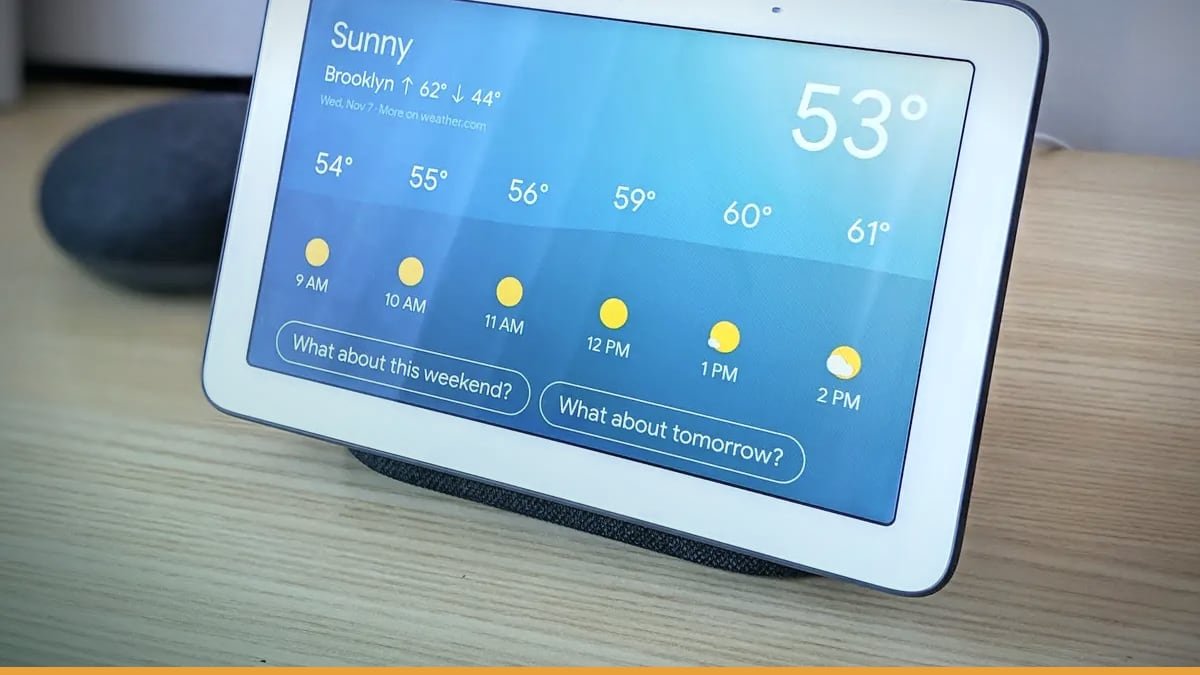
    Header image source: Google Home Hub Review – Business Insider via Business Insider via Google — cropped to 16:9 and colour-adjusted.

    Key takeaways

    • Google Home requires the app for setup and full functionality
    • Over 80,000 compatible smart home devices via Works with Google Home
    • Premium with Gemini unlocks advanced AI automations and alerts

    Google Home Premium with Gemini unlocks advanced AI features. That’s the headline.

    That’s like buying a smartphone and only using it to make calls.


    Step 1: Set Up via the Google Home App (Or It’s a Paperweight)

    Google Home can be set up using the Google Home app on iOS or Android devices. No app? No Google Home. It’s that simple.

    ** No account, no assistant. No exceptions.

    (Source: Google’s official setup docs, [primary_source])


    Step 2: Link Smart Home Devices—All 80,000+ of Them

    Google Home supports 80,000+ compatible devices through the Works with Google Home program. That’s not a typo. But here’s the catch: Not all devices work the same way.

    (Source: Google Home About page, [whats_new])


    Step 3: Master Voice Commands (Beyond "Play Spotify")

    • Fine. But that’s table stakes. Here’s what else works—and what doesn’t:

    Music streaming: Google Home supports voice commands for playing music from services like Google Play Music, YouTube Red, Pandora, and Spotify.

    • Example commands:
    • "Play [song] on Spotify. "
    • **
    • **
    • **

    Smart home control:

    • Grouped devices (e.g.

    Information queries:

    • requires two separate commands).
    • Local queries ("What’s the traffic to work? ") work well if Google Maps has your commute saved.

    Chromecast audio trick:

    • Guests can cast to Google Home without Wi-Fi access—handy for parties.

    (Source: CNET tips, [what_happened])


    Step 4: Automate Routines (This Is Where It Gets Good)

    This is where Google Home stops being a remote control and starts being a **proactive assistant. The Google Home app has an Automations section for managing smart home devices.

    How to build a routine: 1. 2. 3.

    Example routines:

    Limitation: Video history (for Nest cameras/doorbells) only works for 2021+ models. Older devices show live feeds only.

    (Source: Google Home app breakdown, [what_happened])


    Step 5: Expand with Web and Premium Features (If You’re Serious)

    Google Home isn’t just an app and speaker anymore. Google Home for web allows checking Nest cameras and doorbells through a browser, and Google Home Premium with Gemini unlocks advanced features.

    Google Home for web:

    • Access Nest cameras/doorbells via browser (desktop or mobile).
    • Limitation: Video history is only for 2021+ devices. Older models show live feeds only.

    Google Home Premium with Gemini:

    • Advanced AI features (smarter automation suggestions, proactive alerts).
    • Cost: Subscription-based (exact pricing not disclosed).
    • Is it worth it? Depends. Basic automations work without it, but power users might see value.

    (Source: Google Home Welcome page + Premium docs, [whats_new])


    The Google Home App: Your Command Center (Not Just for Setup)

    That’s a mistake. The app has three core tabs, each serving a distinct purpose:

    1.

    2.

    1. Automations tab – Build custom routines (e.g., "Movie Time" dims lights + turns on TV via Chromecast).

    Limitation: No native audio port on Google Home Hub—requires Bluetooth speakers for external audio.

    (Source: Google Home support docs, [what_happened]; Financial Express, [criticism])


    Matter and Thread: Why These Technologies Actually Matter

    Google Home’s support for Matter and Thread isn’t just marketing jargon—it’s a fundamental shift in how smart home devices communicate.

    Matter protocol:

    • Unified standard for smart home devices (Wi-Fi or Thread).

    Google Home works with over 80,000 compatible devices.

    Thread technology:

    Catch: Not all Matter devices are equal.

    (Source: Google Home About page, [whats_new])


    Privacy and Security: What Google Knows (And How to Limit It)

    Google Home records every voice command and stores it in your Google account. That’s not optional—it’s how the system learns and improves. But you have some control over what gets saved and how.

    Voice commands are saved:

    Mute options: Users can mute Google Home by touching the top surface or pressing the ‘disable mic’ button on the rear panel. Users can mute Google Home by pressing the ‘disable mic’ button on the rear panel.

    Guest mode: Google Home can act as a Chromecast audio device, allowing guests to use it without accessing your Wi-Fi network.**

    (Source: Asian Age review + CNET, [what_happened])


    The Hidden Limitations: What Google Home Still Can’t Do

    Google Home is powerful, but it’s not perfect. Here are the gaps that trip up users:

    1. No audio port on Google Home Hub – Requires Bluetooth speakers for external audio.
    2. Video history limited to 2021+ Nest devices – Older cameras/doorbells only show live feeds.
    3. Premium features locked behind subscriptions – Advanced AI and automation tools cost extra.
    4. At launch, Google Home’s services were limited to Uber; now it works with over 80,000 compatible devices.

    (Source: Financial Express, [criticism]; Google Home support docs, [criticism]; CNET, [context])


    The Future: Where Google Home Is Headed

    Google Home isn’t standing still. Here’s where it’s likely going—and what it means for users:

    1. 2. 3. 4.

    (Source: Google Home About page + evolution notes, [whats_new])


    The Real Question: Is Google Home Worth It?

    Google Home isn’t just a speaker—it’s a multi-layered AI ecosystem that can automate your home, control thousands of devices, and even predict your needs.

    To use it effectively:

    1. Set up via the Google Home app (no app, no Google Home).
    2. Link smart devices (Google Home works with over 80,000 compatible devices).
    3. Master voice commands (Google Home supports voice commands for playing music).
    4. Automate routines (the Google Home app has an Automations section).
    5. Expand with web/premium features (Google Home for web allows checking Nest cameras, and Premium unlocks advanced features).

    The open question isn’t whether Google Home works—it’s whether you’ll bother to use it beyond the basics. And that’s the real waste.


  • **What Does Home Do?: The Evidence, Functions, and Hidden Influence of a Fundamental Human Concept**

    **What Does Home Do?: The Evidence, Functions, and Hidden Influence of a Fundamental Human Concept**

    Header image source: What Does Home Mean to Us? Not the Same Thing It Did Before the Pandemic – The New York Times via The New York Times via Google — cropped to 16:9 and colour-adjusted.

    Key takeaways

    • Home lowers cortisol and activates the parasympathetic nervous system.
    • Home serves as a mental schema that shapes memory and future aspirations.
    • Technology mimics home functions through smart devices and virtual spaces.

    Home lowers cortisol. It encodes memory. It turns a house into a psychological operating system. Merriam-Webster calls it "one’s place of residence" and "the social unit formed by a family living together. " Habitat for Humanity describes home as a safe haven and comfort zone where aspirations take shape. Schlage’s research describes home as a place where people regroup from negative experiences. Wikipedia notes homes provide sheltered spaces for sleeping, eating, and hygiene. The phrase "home in" isn’t just a metaphor—it describes the gravitational pull of a place that orients you when everything else feels unstable.

    This isn’t abstract. These functions are measurable, universal, and baked into how humans survive.


    The Biological Imperative: Why Home Isn’t Optional

    Home’s most basic job is physiological. It’s where you sleep, eat, bathe—domestic activities Wikipedia lists as essential. But its biological role runs deeper. Schlage’s research describes home as a place where people feel safe and comfortable, a retreat that lowers stress after bad days. That’s not just sentiment. Safe environments activate the parasympathetic nervous system, dropping heart rate and blood pressure. Poor housing—noise, temperature swings, crowding—disrupts circadian rhythms and impairs cognition. Territorial control, the ability to personalize and defend a space, fulfills a deep-seated need for autonomy linked to lower anxiety.

    Sleep is the clearest example. Homes provide dedicated spaces for rest, a biological necessity. Studies show people sleeping in unstable or unsafe environments have higher cortisol, weaker immune function, poorer emotional regulation. Home isn’t just where you can sleep—it’s where your body expects to sleep, lowering its guard enough to enter deep, restorative cycles. Hygiene works the same way. Domestic spaces enable sanitation practices that reduce disease transmission. Without home, these basic needs become harder to meet, with cascading effects on health.


    The Psychological Dimension: Home as Mental Software

    Home isn’t just physical. It’s a cognitive schema. Merriam-Webster’s definition—"one’s place of residence"—reflects how it serves as a mental shortcut for "" This schema shapes spatial memory, navigation, even how we process new information. Disoriented in a new city? Your brain defaults to "home" "home in").

    But home isn’t just about the past. It’s a canvas for the future. Habitat for Humanity’s research reveals people use their homes to build future aspirations, whether through renovations, decor, or real estate choices. A spare room becomes a home office, signaling a career shift. A nursery gets painted before a baby arrives, projecting a new identity. Even moving—choosing a neighborhood, a floor plan, a style—is aspirational projection. Home isn’t static. It’s a dynamic record of who you were, who you are, and who you hope to become.


    The Social Contract: How Home Structures Relationships

    Home isn’t just about individuals. Merriam-Webster defines it as "the social unit formed by a family living together," emphasizing cohabitation and interdependence. Domestic spaces assign social scripts: parent, child, guest. These scripts shape behavior. A dinner table enforces norms about conversation and sharing. A living room dictates who sits where, who controls the remote. Even a home’s physical layout—open-plan vs. compartmentalized—reflects and reinforces social dynamics.

    Home also regulates access. Doors, thresholds, locks create boundaries between "insiders" and "outsiders. " Schlage’s research highlights home’s role as a "safe haven," a place to retreat from social demands. But these boundaries aren’t just physical. Inviting someone into your home is an act of trust. Keeping them out is a declaration of privacy. The concept of home raises questions about its effects on individuals versus families.

    Cultural variability complicates this. While home’s functions are universal, its expression varies widely. Extended families in multigenerational households blur lines between individual and collective space. Nomadic groups carry their "homes" with them, redefining permanence. Digital nomads, untethered from physical locations, create rituals—a favorite coffee shop, a VPN—to simulate stability. The social contract of home adapts, but its core purpose—structuring relationships—remains.


    The Digital Echo: How Technology Mimics Home

    Technology doesn’t just borrow the word "home. " Websites and apps use "homepages" as navigational baselines, leveraging the brain’s preference for familiar starting points. Smart homes—automated lighting, thermostats, security systems—replicate home’s stress-regulating functions. A Nest thermostat doesn’t just control temperature. It creates an environment that adapts to your needs, much like a well-designed physical home.

    Virtual worlds take this further. Games like Animal Crossing let players "build" homes, reflecting the human drive to create personal sanctuaries. Platforms like Second Life offer digital real estate, where users decorate virtual spaces and host gatherings. These aren’t just distractions. They’re attempts to fulfill the same psychological needs as physical homes. The concept of home raises questions about its definition and effects. The answer isn’t simple. A VR living room can’t provide the biological benefits of a real one—sleep, hygiene—but it might offer a sense of belonging or aspiration. The "Home" key on your keyboard won’t lower your cortisol, but it does provide a predictable foundation in a chaotic digital landscape.


    When Home Fails: The Cost of Disruption

    Home’s functions aren’t optional. When they break down, the consequences are severe. Homelessness—absence of a permanent residence—correlates with increased cortisol, reduced life expectancy, disrupted social bonds. Refugees and migrants report "identity fragmentation" when separated from home, struggling to rebuild continuity. Poor housing—crowding, mold, lack of privacy—impairs cognitive function and increases family conflict. These aren’t inconveniences. They’re systemic failures with measurable human costs.

    Consider digital homelessness. The Lenovo metaphor of the "Home" key highlights this: without a default state to return to, users are perpetually disoriented. The same applies to physical spaces. A child raised in unstable housing shows lower academic performance and higher anxiety. A family in crowded conditions experiences more conflict. Home’s absence doesn’t just create discomfort. It erodes the foundations of wellbeing.


    The Future of Home: AI, Climate, and Work Are Redrawing Its Boundaries

    Home isn’t static. Emerging trends are redefining its functions. Remote work blurs the line between domestic and professional spaces, forcing new definitions of "residence. " Climate migration is making "home" more fluid, with temporary or modular housing gaining prominence. AI cohabitation—voice assistants, robots like Amazon Astro—is altering social dynamics within homes. Younger cohorts increasingly view home as a financial asset (Airbnb) rather than a permanent sanctuary, challenging traditional definitions.

    Smart homes are a case study in this evolution. A Nest thermostat doesn’t just regulate temperature. It learns your routines, creating a personalized environment. A robot vacuum doesn’t just clean. It becomes a "domestic actor," altering how families interact with space. These technologies replicate home’s functions—safety, comfort, control—but they also introduce new questions. Will AI companions eventually replace human cohabitation as a source of comfort? Can a smart home provide the same psychological benefits as a physical one?

    Climate change is another disruptor. As extreme weather displaces communities, "home" may become more transient. Modular housing, co-living spaces, floating homes are gaining traction. These adaptations challenge the traditional definition of home as permanent and fixed. But they also highlight its resilience. Home’s functions—shelter, safety, belonging—persist, even as its forms evolve.


    The Unanswered Questions: What We Still Don’t Know

    For all we know about home, gaps remain. How do we quantify "hominess"? Schlage’s research describes home as a place of comfort, but what makes a space feel like home? Scent? Layout? Familiarity? Can we measure it, or is it inherently subjective? The concept of home raises questions about its definition. What can we learn from cultures where home is portable, shared, or temporary? Could their models inform solutions for modern housing crises?

    Digital permanence is another open question. Can virtual spaces—VR homes—fulfill the same psychological needs as physical ones? A Second Life apartment might offer belonging, but it can’t provide the biological benefits of sleep or hygiene. Will future generations blend physical and digital homes seamlessly, or will the distinction remain? And what about AI? Will robots or voice assistants become "family members," altering the social contract of home? Or will they remain tools, unable to replicate the depth of human cohabitation?


    Home isn’t just a place. It’s a technology—an evolved tool for survival, adaptation, and meaning. Its functions are universal: shelter the body, restore the mind, anchor identity, encode memory, structure relationships. But its forms are endlessly adaptable, from caves to smart apartments to digital interfaces. The evidence suggests home’s most critical role is to provide a predictable foundation from which humans can explore, create, and connect.

    As technology and society evolve, so will home. But its core purpose will likely endure. The "Home" key on your keyboard, the smart thermostat in your living room, the VR apartment in your headset—these are just new expressions of an ancient need. Without it, we’re adrift. With it, we’re home. The question isn’t whether home will change. It’s whether we’ll recognize it when it does.